{"variants":[{"id":47311584723287,"name":null,"title":"None \/ Black \/ Frame Only","option1":"None","option2":"Black","option3":"Frame Only","available":true,"inventory_policy":"continue","inventory_quantity":13,"limited_pre_order":false,"negative_stock_count":null,"price":30900,"compare_at_price":40900,"_karla_estimated_ship_date_start":null,"_karla_estimated_ship_date_end":null,"_container_id":null},{"id":47311584887127,"name":null,"title":"None \/ White \/ Frame Only","option1":"None","option2":"White","option3":"Frame Only","available":true,"inventory_policy":"continue","inventory_quantity":140,"limited_pre_order":false,"negative_stock_count":null,"price":30900,"compare_at_price":40900,"_karla_estimated_ship_date_start":null,"_karla_estimated_ship_date_end":null,"_container_id":null},{"id":50541195592023,"name":null,"title":"None \/ Grey \/ Frame Only","option1":"None","option2":"Grey","option3":"Frame Only","available":true,"inventory_policy":"continue","inventory_quantity":17,"limited_pre_order":false,"negative_stock_count":null,"price":30900,"compare_at_price":40900,"_karla_estimated_ship_date_start":null,"_karla_estimated_ship_date_end":null,"_container_id":null},{"id":40677505171499,"name":null,"title":"Black \/ Black \/ 120 x 60 cm","option1":"Black","option2":"Black","option3":"120 x 60 cm","available":true,"inventory_policy":"continue","inventory_quantity":13,"limited_pre_order":false,"negative_stock_count":null,"price":39900,"compare_at_price":51900,"_karla_estimated_ship_date_start":null,"_karla_estimated_ship_date_end":null,"_container_id":null},{"id":40265028468779,"name":null,"title":"Black \/ Black \/ 140 x 70 cm","option1":"Black","option2":"Black","option3":"140 x 70 cm","available":true,"inventory_policy":"continue","inventory_quantity":13,"limited_pre_order":false,"negative_stock_count":null,"price":46900,"compare_at_price":60900,"_karla_estimated_ship_date_start":null,"_karla_estimated_ship_date_end":null,"_container_id":null},{"id":40265028501547,"name":null,"title":"Black \/ Black \/ 160 x 80 cm","option1":"Black","option2":"Black","option3":"160 x 80 cm","available":true,"inventory_policy":"continue","inventory_quantity":13,"limited_pre_order":false,"negative_stock_count":null,"price":50900,"compare_at_price":66900,"_karla_estimated_ship_date_start":null,"_karla_estimated_ship_date_end":null,"_container_id":null},{"id":47245598064983,"name":null,"title":"Black \/ Black \/ 180 x 80 cm","option1":"Black","option2":"Black","option3":"180 x 80 cm","available":true,"inventory_policy":"continue","inventory_quantity":13,"limited_pre_order":false,"negative_stock_count":null,"price":55900,"compare_at_price":72900,"_karla_estimated_ship_date_start":null,"_karla_estimated_ship_date_end":null,"_container_id":null},{"id":50541195690327,"name":null,"title":"Black \/ Black \/ 200 x 80 cm","option1":"Black","option2":"Black","option3":"200 x 80 cm","available":true,"inventory_policy":"continue","inventory_quantity":13,"limited_pre_order":false,"negative_stock_count":null,"price":56900,"compare_at_price":74900,"_karla_estimated_ship_date_start":null,"_karla_estimated_ship_date_end":null,"_container_id":null},{"id":40677505204267,"name":null,"title":"Black \/ White \/ 120 x 60 cm","option1":"Black","option2":"White","option3":"120 x 60 cm","available":true,"inventory_policy":"continue","inventory_quantity":93,"limited_pre_order":false,"negative_stock_count":null,"price":39900,"compare_at_price":51900,"_karla_estimated_ship_date_start":null,"_karla_estimated_ship_date_end":null,"_container_id":null},{"id":40265028534315,"name":null,"title":"Black \/ White \/ 140 x 70 cm","option1":"Black","option2":"White","option3":"140 x 70 cm","available":true,"inventory_policy":"continue","inventory_quantity":140,"limited_pre_order":false,"negative_stock_count":null,"price":46900,"compare_at_price":60900,"_karla_estimated_ship_date_start":null,"_karla_estimated_ship_date_end":null,"_container_id":null},{"id":40265028567083,"name":null,"title":"Black \/ White \/ 160 x 80 cm","option1":"Black","option2":"White","option3":"160 x 80 cm","available":true,"inventory_policy":"continue","inventory_quantity":118,"limited_pre_order":false,"negative_stock_count":null,"price":50900,"compare_at_price":66900,"_karla_estimated_ship_date_start":null,"_karla_estimated_ship_date_end":null,"_container_id":"ler25019-c2"},{"id":47245598097751,"name":null,"title":"Black \/ White \/ 180 x 80 cm","option1":"Black","option2":"White","option3":"180 x 80 cm","available":true,"inventory_policy":"continue","inventory_quantity":106,"limited_pre_order":false,"negative_stock_count":null,"price":55900,"compare_at_price":72900,"_karla_estimated_ship_date_start":null,"_karla_estimated_ship_date_end":null,"_container_id":null},{"id":50541195723095,"name":null,"title":"Black \/ White \/ 200 x 80 cm","option1":"Black","option2":"White","option3":"200 x 80 cm","available":true,"inventory_policy":"continue","inventory_quantity":49,"limited_pre_order":false,"negative_stock_count":null,"price":56900,"compare_at_price":74900,"_karla_estimated_ship_date_start":null,"_karla_estimated_ship_date_end":null,"_container_id":null},{"id":50541195755863,"name":null,"title":"Black \/ Grey \/ 120 x 60 cm","option1":"Black","option2":"Grey","option3":"120 x 60 cm","available":true,"inventory_policy":"continue","inventory_quantity":17,"limited_pre_order":false,"negative_stock_count":null,"price":39900,"compare_at_price":51900,"_karla_estimated_ship_date_start":null,"_karla_estimated_ship_date_end":null,"_container_id":null},{"id":50541195854167,"name":null,"title":"Black \/ Grey \/ 140 x 70 cm","option1":"Black","option2":"Grey","option3":"140 x 70 cm","available":true,"inventory_policy":"continue","inventory_quantity":17,"limited_pre_order":false,"negative_stock_count":null,"price":46900,"compare_at_price":60900,"_karla_estimated_ship_date_start":null,"_karla_estimated_ship_date_end":null,"_container_id":null},{"id":50541195886935,"name":null,"title":"Black \/ Grey \/ 160 x 80 cm","option1":"Black","option2":"Grey","option3":"160 x 80 cm","available":true,"inventory_policy":"continue","inventory_quantity":17,"limited_pre_order":false,"negative_stock_count":null,"price":50900,"compare_at_price":66900,"_karla_estimated_ship_date_start":null,"_karla_estimated_ship_date_end":null,"_container_id":null},{"id":50541195919703,"name":null,"title":"Black \/ Grey \/ 180 x 80 cm","option1":"Black","option2":"Grey","option3":"180 x 80 cm","available":true,"inventory_policy":"continue","inventory_quantity":17,"limited_pre_order":false,"negative_stock_count":null,"price":55900,"compare_at_price":72900,"_karla_estimated_ship_date_start":null,"_karla_estimated_ship_date_end":null,"_container_id":null},{"id":50541195952471,"name":null,"title":"Black \/ Grey \/ 200 x 80 cm","option1":"Black","option2":"Grey","option3":"200 x 80 cm","available":true,"inventory_policy":"continue","inventory_quantity":17,"limited_pre_order":false,"negative_stock_count":null,"price":56900,"compare_at_price":74900,"_karla_estimated_ship_date_start":null,"_karla_estimated_ship_date_end":null,"_container_id":"ler25019-c2"},{"id":40677505302571,"name":null,"title":"Walnut \/ Black \/ 120 x 60 cm","option1":"Walnut","option2":"Black","option3":"120 x 60 cm","available":true,"inventory_policy":"continue","inventory_quantity":-1,"limited_pre_order":false,"negative_stock_count":null,"price":39900,"compare_at_price":51900,"_karla_estimated_ship_date_start":null,"_karla_estimated_ship_date_end":null,"_container_id":null},{"id":40265028763691,"name":null,"title":"Walnut \/ Black \/ 140 x 70 cm","option1":"Walnut","option2":"Black","option3":"140 x 70 cm","available":true,"inventory_policy":"continue","inventory_quantity":13,"limited_pre_order":false,"negative_stock_count":null,"price":46900,"compare_at_price":60900,"_karla_estimated_ship_date_start":null,"_karla_estimated_ship_date_end":null,"_container_id":null},{"id":40583409401899,"name":null,"title":"Walnut \/ Black \/ 160 x 80 cm","option1":"Walnut","option2":"Black","option3":"160 x 80 cm","available":true,"inventory_policy":"continue","inventory_quantity":13,"limited_pre_order":false,"negative_stock_count":null,"price":50900,"compare_at_price":66900,"_karla_estimated_ship_date_start":null,"_karla_estimated_ship_date_end":null,"_container_id":null},{"id":47245598130519,"name":null,"title":"Walnut \/ Black \/ 180 x 80 cm","option1":"Walnut","option2":"Black","option3":"180 x 80 cm","available":true,"inventory_policy":"continue","inventory_quantity":13,"limited_pre_order":false,"negative_stock_count":null,"price":55900,"compare_at_price":72900,"_karla_estimated_ship_date_start":null,"_karla_estimated_ship_date_end":null,"_container_id":"ler25019-c2"},{"id":50541195985239,"name":null,"title":"Walnut \/ Black \/ 200 x 80 cm","option1":"Walnut","option2":"Black","option3":"200 x 80 cm","available":true,"inventory_policy":"continue","inventory_quantity":13,"limited_pre_order":false,"negative_stock_count":null,"price":56900,"compare_at_price":74900,"_karla_estimated_ship_date_start":null,"_karla_estimated_ship_date_end":null,"_container_id":null},{"id":40677505335339,"name":null,"title":"Walnut \/ White \/ 120 x 60 cm","option1":"Walnut","option2":"White","option3":"120 x 60 cm","available":true,"inventory_policy":"continue","inventory_quantity":-1,"limited_pre_order":false,"negative_stock_count":null,"price":39900,"compare_at_price":51900,"_karla_estimated_ship_date_start":null,"_karla_estimated_ship_date_end":null,"_container_id":null},{"id":40265028829227,"name":null,"title":"Walnut \/ White \/ 140 x 70 cm","option1":"Walnut","option2":"White","option3":"140 x 70 cm","available":true,"inventory_policy":"continue","inventory_quantity":115,"limited_pre_order":false,"negative_stock_count":null,"price":46900,"compare_at_price":60900,"_karla_estimated_ship_date_start":null,"_karla_estimated_ship_date_end":null,"_container_id":null},{"id":40583410122795,"name":null,"title":"Walnut \/ White \/ 160 x 80 cm","option1":"Walnut","option2":"White","option3":"160 x 80 cm","available":true,"inventory_policy":"continue","inventory_quantity":47,"limited_pre_order":false,"negative_stock_count":null,"price":50900,"compare_at_price":66900,"_karla_estimated_ship_date_start":null,"_karla_estimated_ship_date_end":null,"_container_id":null},{"id":47245598163287,"name":null,"title":"Walnut \/ White \/ 180 x 80 cm","option1":"Walnut","option2":"White","option3":"180 x 80 cm","available":true,"inventory_policy":"continue","inventory_quantity":56,"limited_pre_order":false,"negative_stock_count":null,"price":55900,"compare_at_price":72900,"_karla_estimated_ship_date_start":null,"_karla_estimated_ship_date_end":null,"_container_id":"ler25019-c2"},{"id":50541196018007,"name":null,"title":"Walnut \/ White \/ 200 x 80 cm","option1":"Walnut","option2":"White","option3":"200 x 80 cm","available":true,"inventory_policy":"continue","inventory_quantity":37,"limited_pre_order":false,"negative_stock_count":null,"price":56900,"compare_at_price":74900,"_karla_estimated_ship_date_start":null,"_karla_estimated_ship_date_end":null,"_container_id":null},{"id":50541196050775,"name":null,"title":"Walnut \/ Grey \/ 120 x 60 cm","option1":"Walnut","option2":"Grey","option3":"120 x 60 cm","available":true,"inventory_policy":"continue","inventory_quantity":-1,"limited_pre_order":false,"negative_stock_count":null,"price":39900,"compare_at_price":51900,"_karla_estimated_ship_date_start":null,"_karla_estimated_ship_date_end":null,"_container_id":null},{"id":50541196149079,"name":null,"title":"Walnut \/ Grey \/ 140 x 70 cm","option1":"Walnut","option2":"Grey","option3":"140 x 70 cm","available":true,"inventory_policy":"continue","inventory_quantity":17,"limited_pre_order":false,"negative_stock_count":null,"price":46900,"compare_at_price":60900,"_karla_estimated_ship_date_start":null,"_karla_estimated_ship_date_end":null,"_container_id":null},{"id":50541196181847,"name":null,"title":"Walnut \/ Grey \/ 160 x 80 cm","option1":"Walnut","option2":"Grey","option3":"160 x 80 cm","available":true,"inventory_policy":"continue","inventory_quantity":17,"limited_pre_order":false,"negative_stock_count":null,"price":50900,"compare_at_price":66900,"_karla_estimated_ship_date_start":null,"_karla_estimated_ship_date_end":null,"_container_id":null},{"id":50541196214615,"name":null,"title":"Walnut \/ Grey \/ 180 x 80 cm","option1":"Walnut","option2":"Grey","option3":"180 x 80 cm","available":true,"inventory_policy":"continue","inventory_quantity":17,"limited_pre_order":false,"negative_stock_count":null,"price":55900,"compare_at_price":72900,"_karla_estimated_ship_date_start":null,"_karla_estimated_ship_date_end":null,"_container_id":"ler25019-c2"},{"id":50541196312919,"name":null,"title":"Walnut \/ Grey \/ 200 x 80 cm","option1":"Walnut","option2":"Grey","option3":"200 x 80 cm","available":true,"inventory_policy":"continue","inventory_quantity":17,"limited_pre_order":false,"negative_stock_count":null,"price":56900,"compare_at_price":74900,"_karla_estimated_ship_date_start":null,"_karla_estimated_ship_date_end":null,"_container_id":null},{"id":40677505237035,"name":null,"title":"White \/ Black \/ 120 x 60 cm","option1":"White","option2":"Black","option3":"120 x 60 cm","available":true,"inventory_policy":"continue","inventory_quantity":8,"limited_pre_order":false,"negative_stock_count":null,"price":39900,"compare_at_price":51900,"_karla_estimated_ship_date_start":null,"_karla_estimated_ship_date_end":null,"_container_id":null},{"id":40265028599851,"name":null,"title":"White \/ Black \/ 140 x 70 cm","option1":"White","option2":"Black","option3":"140 x 70 cm","available":true,"inventory_policy":"continue","inventory_quantity":13,"limited_pre_order":false,"negative_stock_count":null,"price":46900,"compare_at_price":60900,"_karla_estimated_ship_date_start":null,"_karla_estimated_ship_date_end":null,"_container_id":null},{"id":40265028632619,"name":null,"title":"White \/ Black \/ 160 x 80 cm","option1":"White","option2":"Black","option3":"160 x 80 cm","available":true,"inventory_policy":"continue","inventory_quantity":12,"limited_pre_order":false,"negative_stock_count":null,"price":50900,"compare_at_price":66900,"_karla_estimated_ship_date_start":null,"_karla_estimated_ship_date_end":null,"_container_id":null},{"id":47245598196055,"name":null,"title":"White \/ Black \/ 180 x 80 cm","option1":"White","option2":"Black","option3":"180 x 80 cm","available":true,"inventory_policy":"continue","inventory_quantity":13,"limited_pre_order":false,"negative_stock_count":null,"price":55900,"compare_at_price":72900,"_karla_estimated_ship_date_start":null,"_karla_estimated_ship_date_end":null,"_container_id":null},{"id":50541196345687,"name":null,"title":"White \/ Black \/ 200 x 80 cm","option1":"White","option2":"Black","option3":"200 x 80 cm","available":true,"inventory_policy":"continue","inventory_quantity":13,"limited_pre_order":false,"negative_stock_count":null,"price":56900,"compare_at_price":74900,"_karla_estimated_ship_date_start":null,"_karla_estimated_ship_date_end":null,"_container_id":null},{"id":40677505269803,"name":null,"title":"White \/ White \/ 120 x 60 cm","option1":"White","option2":"White","option3":"120 x 60 cm","available":true,"inventory_policy":"continue","inventory_quantity":8,"limited_pre_order":false,"negative_stock_count":null,"price":39900,"compare_at_price":51900,"_karla_estimated_ship_date_start":null,"_karla_estimated_ship_date_end":null,"_container_id":null},{"id":40265028665387,"name":null,"title":"White \/ White \/ 140 x 70 cm","option1":"White","option2":"White","option3":"140 x 70 cm","available":true,"inventory_policy":"continue","inventory_quantity":60,"limited_pre_order":false,"negative_stock_count":null,"price":46900,"compare_at_price":60900,"_karla_estimated_ship_date_start":null,"_karla_estimated_ship_date_end":null,"_container_id":null},{"id":40265028730923,"name":null,"title":"White \/ White \/ 160 x 80 cm","option1":"White","option2":"White","option3":"160 x 80 cm","available":true,"inventory_policy":"continue","inventory_quantity":12,"limited_pre_order":false,"negative_stock_count":null,"price":50900,"compare_at_price":66900,"_karla_estimated_ship_date_start":null,"_karla_estimated_ship_date_end":null,"_container_id":null},{"id":47245598228823,"name":null,"title":"White \/ White \/ 180 x 80 cm","option1":"White","option2":"White","option3":"180 x 80 cm","available":true,"inventory_policy":"continue","inventory_quantity":88,"limited_pre_order":false,"negative_stock_count":null,"price":55900,"compare_at_price":72900,"_karla_estimated_ship_date_start":null,"_karla_estimated_ship_date_end":null,"_container_id":null},{"id":50541196378455,"name":null,"title":"White \/ White \/ 200 x 80 cm","option1":"White","option2":"White","option3":"200 x 80 cm","available":true,"inventory_policy":"continue","inventory_quantity":42,"limited_pre_order":false,"negative_stock_count":null,"price":56900,"compare_at_price":74900,"_karla_estimated_ship_date_start":null,"_karla_estimated_ship_date_end":null,"_container_id":null},{"id":50541196411223,"name":null,"title":"White \/ Grey \/ 120 x 60 cm","option1":"White","option2":"Grey","option3":"120 x 60 cm","available":true,"inventory_policy":"continue","inventory_quantity":8,"limited_pre_order":false,"negative_stock_count":null,"price":39900,"compare_at_price":51900,"_karla_estimated_ship_date_start":null,"_karla_estimated_ship_date_end":null,"_container_id":null},{"id":50541196443991,"name":null,"title":"White \/ Grey \/ 140 x 70 cm","option1":"White","option2":"Grey","option3":"140 x 70 cm","available":true,"inventory_policy":"continue","inventory_quantity":17,"limited_pre_order":false,"negative_stock_count":null,"price":46900,"compare_at_price":60900,"_karla_estimated_ship_date_start":null,"_karla_estimated_ship_date_end":null,"_container_id":null},{"id":50541196476759,"name":null,"title":"White \/ Grey \/ 160 x 80 cm","option1":"White","option2":"Grey","option3":"160 x 80 cm","available":true,"inventory_policy":"continue","inventory_quantity":12,"limited_pre_order":false,"negative_stock_count":null,"price":50900,"compare_at_price":66900,"_karla_estimated_ship_date_start":null,"_karla_estimated_ship_date_end":null,"_container_id":"ler25019-c2"},{"id":50541196509527,"name":null,"title":"White \/ Grey \/ 180 x 80 cm","option1":"White","option2":"Grey","option3":"180 x 80 cm","available":true,"inventory_policy":"continue","inventory_quantity":17,"limited_pre_order":false,"negative_stock_count":null,"price":55900,"compare_at_price":72900,"_karla_estimated_ship_date_start":null,"_karla_estimated_ship_date_end":null,"_container_id":null},{"id":50541196542295,"name":null,"title":"White \/ Grey \/ 200 x 80 cm","option1":"White","option2":"Grey","option3":"200 x 80 cm","available":true,"inventory_policy":"continue","inventory_quantity":17,"limited_pre_order":false,"negative_stock_count":null,"price":56900,"compare_at_price":74900,"_karla_estimated_ship_date_start":null,"_karla_estimated_ship_date_end":null,"_container_id":null}]}
{"variants":[{"id":47311370420567,"name":null,"title":"None \/ Black \/ Frame Only","option1":"None","option2":"Black","option3":"Frame Only","available":true,"inventory_policy":"continue","inventory_quantity":-25,"limited_pre_order":false,"negative_stock_count":null,"price":23900,"compare_at_price":31900,"_karla_estimated_ship_date_start":null,"_karla_estimated_ship_date_end":null,"_container_id":null},{"id":50541119537495,"name":null,"title":"None \/ White \/ Frame Only","option1":"None","option2":"White","option3":"Frame Only","available":true,"inventory_policy":"continue","inventory_quantity":3,"limited_pre_order":false,"negative_stock_count":null,"price":23900,"compare_at_price":31900,"_karla_estimated_ship_date_start":null,"_karla_estimated_ship_date_end":null,"_container_id":null},{"id":50541119570263,"name":null,"title":"None \/ Grey \/ Frame Only","option1":"None","option2":"Grey","option3":"Frame Only","available":true,"inventory_policy":"continue","inventory_quantity":43,"limited_pre_order":false,"negative_stock_count":null,"price":23900,"compare_at_price":31900,"_karla_estimated_ship_date_start":null,"_karla_estimated_ship_date_end":null,"_container_id":null},{"id":50541119603031,"name":null,"title":"Black \/ Black \/ 120 x 60 cm","option1":"Black","option2":"Black","option3":"120 x 60 cm","available":true,"inventory_policy":"continue","inventory_quantity":-25,"limited_pre_order":false,"negative_stock_count":null,"price":32900,"compare_at_price":42900,"_karla_estimated_ship_date_start":null,"_karla_estimated_ship_date_end":null,"_container_id":null},{"id":50541119635799,"name":null,"title":"Black \/ Black \/ 140 x 70 cm","option1":"Black","option2":"Black","option3":"140 x 70 cm","available":true,"inventory_policy":"continue","inventory_quantity":-25,"limited_pre_order":false,"negative_stock_count":null,"price":39900,"compare_at_price":49900,"_karla_estimated_ship_date_start":null,"_karla_estimated_ship_date_end":null,"_container_id":null},{"id":50541119668567,"name":null,"title":"Black \/ Black \/ 160 x 80 cm","option1":"Black","option2":"Black","option3":"160 x 80 cm","available":true,"inventory_policy":"continue","inventory_quantity":-25,"limited_pre_order":false,"negative_stock_count":null,"price":43900,"compare_at_price":53900,"_karla_estimated_ship_date_start":null,"_karla_estimated_ship_date_end":null,"_container_id":null},{"id":52162633171287,"name":null,"title":"Black \/ Black \/ 180 x 80 cm","option1":"Black","option2":"Black","option3":"180 x 80 cm","available":true,"inventory_policy":"continue","inventory_quantity":-25,"limited_pre_order":false,"negative_stock_count":null,"price":48900,"compare_at_price":58900,"_karla_estimated_ship_date_start":null,"_karla_estimated_ship_date_end":null,"_container_id":null},{"id":50541119701335,"name":null,"title":"Black \/ White \/ 120 x 60 cm","option1":"Black","option2":"White","option3":"120 x 60 cm","available":true,"inventory_policy":"continue","inventory_quantity":3,"limited_pre_order":false,"negative_stock_count":null,"price":32900,"compare_at_price":42900,"_karla_estimated_ship_date_start":null,"_karla_estimated_ship_date_end":null,"_container_id":null},{"id":50541119734103,"name":null,"title":"Black \/ White \/ 140 x 70 cm","option1":"Black","option2":"White","option3":"140 x 70 cm","available":true,"inventory_policy":"continue","inventory_quantity":3,"limited_pre_order":false,"negative_stock_count":null,"price":39900,"compare_at_price":49900,"_karla_estimated_ship_date_start":null,"_karla_estimated_ship_date_end":null,"_container_id":null},{"id":50541119766871,"name":null,"title":"Black \/ White \/ 160 x 80 cm","option1":"Black","option2":"White","option3":"160 x 80 cm","available":true,"inventory_policy":"continue","inventory_quantity":3,"limited_pre_order":false,"negative_stock_count":null,"price":43900,"compare_at_price":53900,"_karla_estimated_ship_date_start":null,"_karla_estimated_ship_date_end":null,"_container_id":null},{"id":52162633204055,"name":null,"title":"Black \/ White \/ 180 x 80 cm","option1":"Black","option2":"White","option3":"180 x 80 cm","available":true,"inventory_policy":"continue","inventory_quantity":3,"limited_pre_order":false,"negative_stock_count":null,"price":48900,"compare_at_price":58900,"_karla_estimated_ship_date_start":null,"_karla_estimated_ship_date_end":null,"_container_id":null},{"id":50541119799639,"name":null,"title":"Black \/ Grey \/ 120 x 60 cm","option1":"Black","option2":"Grey","option3":"120 x 60 cm","available":true,"inventory_policy":"continue","inventory_quantity":43,"limited_pre_order":false,"negative_stock_count":null,"price":32900,"compare_at_price":42900,"_karla_estimated_ship_date_start":null,"_karla_estimated_ship_date_end":null,"_container_id":null},{"id":50541119832407,"name":null,"title":"Black \/ Grey \/ 140 x 70 cm","option1":"Black","option2":"Grey","option3":"140 x 70 cm","available":true,"inventory_policy":"continue","inventory_quantity":43,"limited_pre_order":false,"negative_stock_count":null,"price":39900,"compare_at_price":49900,"_karla_estimated_ship_date_start":null,"_karla_estimated_ship_date_end":null,"_container_id":null},{"id":50541119865175,"name":null,"title":"Black \/ Grey \/ 160 x 80 cm","option1":"Black","option2":"Grey","option3":"160 x 80 cm","available":true,"inventory_policy":"continue","inventory_quantity":43,"limited_pre_order":false,"negative_stock_count":null,"price":43900,"compare_at_price":53900,"_karla_estimated_ship_date_start":null,"_karla_estimated_ship_date_end":null,"_container_id":null},{"id":52162633236823,"name":null,"title":"Black \/ Grey \/ 180 x 80 cm","option1":"Black","option2":"Grey","option3":"180 x 80 cm","available":true,"inventory_policy":"continue","inventory_quantity":43,"limited_pre_order":false,"negative_stock_count":null,"price":48900,"compare_at_price":58900,"_karla_estimated_ship_date_start":null,"_karla_estimated_ship_date_end":null,"_container_id":null},{"id":50541119897943,"name":null,"title":"White \/ Black \/ 120 x 60 cm","option1":"White","option2":"Black","option3":"120 x 60 cm","available":true,"inventory_policy":"continue","inventory_quantity":-25,"limited_pre_order":false,"negative_stock_count":null,"price":32900,"compare_at_price":42900,"_karla_estimated_ship_date_start":null,"_karla_estimated_ship_date_end":null,"_container_id":null},{"id":50541119930711,"name":null,"title":"White \/ Black \/ 140 x 70 cm","option1":"White","option2":"Black","option3":"140 x 70 cm","available":true,"inventory_policy":"continue","inventory_quantity":-25,"limited_pre_order":false,"negative_stock_count":null,"price":39900,"compare_at_price":49900,"_karla_estimated_ship_date_start":null,"_karla_estimated_ship_date_end":null,"_container_id":null},{"id":50541119963479,"name":null,"title":"White \/ Black \/ 160 x 80 cm","option1":"White","option2":"Black","option3":"160 x 80 cm","available":true,"inventory_policy":"continue","inventory_quantity":-25,"limited_pre_order":false,"negative_stock_count":null,"price":43900,"compare_at_price":53900,"_karla_estimated_ship_date_start":null,"_karla_estimated_ship_date_end":null,"_container_id":null},{"id":52162633269591,"name":null,"title":"White \/ Black \/ 180 x 80 cm","option1":"White","option2":"Black","option3":"180 x 80 cm","available":true,"inventory_policy":"continue","inventory_quantity":-25,"limited_pre_order":false,"negative_stock_count":null,"price":48900,"compare_at_price":58900,"_karla_estimated_ship_date_start":null,"_karla_estimated_ship_date_end":null,"_container_id":null},{"id":50541119996247,"name":null,"title":"White \/ White \/ 120 x 60 cm","option1":"White","option2":"White","option3":"120 x 60 cm","available":true,"inventory_policy":"continue","inventory_quantity":3,"limited_pre_order":false,"negative_stock_count":null,"price":32900,"compare_at_price":42900,"_karla_estimated_ship_date_start":null,"_karla_estimated_ship_date_end":null,"_container_id":null},{"id":50541120029015,"name":null,"title":"White \/ White \/ 140 x 70 cm","option1":"White","option2":"White","option3":"140 x 70 cm","available":true,"inventory_policy":"continue","inventory_quantity":3,"limited_pre_order":false,"negative_stock_count":null,"price":39900,"compare_at_price":49900,"_karla_estimated_ship_date_start":null,"_karla_estimated_ship_date_end":null,"_container_id":null},{"id":50541120061783,"name":null,"title":"White \/ White \/ 160 x 80 cm","option1":"White","option2":"White","option3":"160 x 80 cm","available":true,"inventory_policy":"continue","inventory_quantity":3,"limited_pre_order":false,"negative_stock_count":null,"price":43900,"compare_at_price":53900,"_karla_estimated_ship_date_start":null,"_karla_estimated_ship_date_end":null,"_container_id":null},{"id":52162633302359,"name":null,"title":"White \/ White \/ 180 x 80 cm","option1":"White","option2":"White","option3":"180 x 80 cm","available":true,"inventory_policy":"continue","inventory_quantity":3,"limited_pre_order":false,"negative_stock_count":null,"price":48900,"compare_at_price":58900,"_karla_estimated_ship_date_start":null,"_karla_estimated_ship_date_end":null,"_container_id":null},{"id":50541120094551,"name":null,"title":"White \/ Grey \/ 120 x 60 cm","option1":"White","option2":"Grey","option3":"120 x 60 cm","available":true,"inventory_policy":"continue","inventory_quantity":8,"limited_pre_order":false,"negative_stock_count":null,"price":32900,"compare_at_price":42900,"_karla_estimated_ship_date_start":null,"_karla_estimated_ship_date_end":null,"_container_id":null},{"id":50541120127319,"name":null,"title":"White \/ Grey \/ 140 x 70 cm","option1":"White","option2":"Grey","option3":"140 x 70 cm","available":true,"inventory_policy":"continue","inventory_quantity":43,"limited_pre_order":false,"negative_stock_count":null,"price":39900,"compare_at_price":49900,"_karla_estimated_ship_date_start":null,"_karla_estimated_ship_date_end":null,"_container_id":null},{"id":50541120160087,"name":null,"title":"White \/ Grey \/ 160 x 80 cm","option1":"White","option2":"Grey","option3":"160 x 80 cm","available":true,"inventory_policy":"continue","inventory_quantity":12,"limited_pre_order":false,"negative_stock_count":null,"price":43900,"compare_at_price":53900,"_karla_estimated_ship_date_start":null,"_karla_estimated_ship_date_end":null,"_container_id":"ler25019-c2"},{"id":52162633335127,"name":null,"title":"White \/ Grey \/ 180 x 80 cm","option1":"White","option2":"Grey","option3":"180 x 80 cm","available":true,"inventory_policy":"continue","inventory_quantity":43,"limited_pre_order":false,"negative_stock_count":null,"price":48900,"compare_at_price":58900,"_karla_estimated_ship_date_start":null,"_karla_estimated_ship_date_end":null,"_container_id":null},{"id":50541120192855,"name":null,"title":"Walnut \/ Black \/ 120 x 60 cm","option1":"Walnut","option2":"Black","option3":"120 x 60 cm","available":true,"inventory_policy":"continue","inventory_quantity":-25,"limited_pre_order":false,"negative_stock_count":null,"price":32900,"compare_at_price":42900,"_karla_estimated_ship_date_start":null,"_karla_estimated_ship_date_end":null,"_container_id":null},{"id":50541120225623,"name":null,"title":"Walnut \/ Black \/ 140 x 70 cm","option1":"Walnut","option2":"Black","option3":"140 x 70 cm","available":true,"inventory_policy":"continue","inventory_quantity":-25,"limited_pre_order":false,"negative_stock_count":null,"price":39900,"compare_at_price":49900,"_karla_estimated_ship_date_start":null,"_karla_estimated_ship_date_end":null,"_container_id":null},{"id":50541120258391,"name":null,"title":"Walnut \/ Black \/ 160 x 80 cm","option1":"Walnut","option2":"Black","option3":"160 x 80 cm","available":true,"inventory_policy":"continue","inventory_quantity":-25,"limited_pre_order":false,"negative_stock_count":null,"price":43900,"compare_at_price":53900,"_karla_estimated_ship_date_start":null,"_karla_estimated_ship_date_end":null,"_container_id":null},{"id":52162633367895,"name":null,"title":"Walnut \/ Black \/ 180 x 80 cm","option1":"Walnut","option2":"Black","option3":"180 x 80 cm","available":true,"inventory_policy":"continue","inventory_quantity":-25,"limited_pre_order":false,"negative_stock_count":null,"price":48900,"compare_at_price":58900,"_karla_estimated_ship_date_start":null,"_karla_estimated_ship_date_end":null,"_container_id":"25019-c2"},{"id":50541120291159,"name":null,"title":"Walnut \/ White \/ 120 x 60 cm","option1":"Walnut","option2":"White","option3":"120 x 60 cm","available":true,"inventory_policy":"continue","inventory_quantity":-1,"limited_pre_order":false,"negative_stock_count":null,"price":32900,"compare_at_price":42900,"_karla_estimated_ship_date_start":null,"_karla_estimated_ship_date_end":null,"_container_id":null},{"id":50541120323927,"name":null,"title":"Walnut \/ White \/ 140 x 70 cm","option1":"Walnut","option2":"White","option3":"140 x 70 cm","available":true,"inventory_policy":"continue","inventory_quantity":3,"limited_pre_order":false,"negative_stock_count":null,"price":39900,"compare_at_price":49900,"_karla_estimated_ship_date_start":null,"_karla_estimated_ship_date_end":null,"_container_id":null},{"id":50541120356695,"name":null,"title":"Walnut \/ White \/ 160 x 80 cm","option1":"Walnut","option2":"White","option3":"160 x 80 cm","available":true,"inventory_policy":"continue","inventory_quantity":3,"limited_pre_order":false,"negative_stock_count":null,"price":43900,"compare_at_price":53900,"_karla_estimated_ship_date_start":null,"_karla_estimated_ship_date_end":null,"_container_id":null},{"id":52162633400663,"name":null,"title":"Walnut \/ White \/ 180 x 80 cm","option1":"Walnut","option2":"White","option3":"180 x 80 cm","available":true,"inventory_policy":"continue","inventory_quantity":3,"limited_pre_order":false,"negative_stock_count":null,"price":48900,"compare_at_price":58900,"_karla_estimated_ship_date_start":null,"_karla_estimated_ship_date_end":null,"_container_id":"learn25019-c2"},{"id":50541120389463,"name":null,"title":"Walnut \/ Grey \/ 120 x 60 cm","option1":"Walnut","option2":"Grey","option3":"120 x 60 cm","available":true,"inventory_policy":"continue","inventory_quantity":-1,"limited_pre_order":false,"negative_stock_count":null,"price":32900,"compare_at_price":42900,"_karla_estimated_ship_date_start":null,"_karla_estimated_ship_date_end":null,"_container_id":null},{"id":50541120422231,"name":null,"title":"Walnut \/ Grey \/ 140 x 70 cm","option1":"Walnut","option2":"Grey","option3":"140 x 70 cm","available":true,"inventory_policy":"continue","inventory_quantity":43,"limited_pre_order":false,"negative_stock_count":null,"price":39900,"compare_at_price":49900,"_karla_estimated_ship_date_start":null,"_karla_estimated_ship_date_end":null,"_container_id":null},{"id":50541120454999,"name":null,"title":"Walnut \/ Grey \/ 160 x 80 cm","option1":"Walnut","option2":"Grey","option3":"160 x 80 cm","available":true,"inventory_policy":"continue","inventory_quantity":43,"limited_pre_order":false,"negative_stock_count":null,"price":43900,"compare_at_price":53900,"_karla_estimated_ship_date_start":null,"_karla_estimated_ship_date_end":null,"_container_id":null},{"id":52162633433431,"name":null,"title":"Walnut \/ Grey \/ 180 x 80 cm","option1":"Walnut","option2":"Grey","option3":"180 x 80 cm","available":true,"inventory_policy":"continue","inventory_quantity":43,"limited_pre_order":false,"negative_stock_count":null,"price":48900,"compare_at_price":58900,"_karla_estimated_ship_date_start":null,"_karla_estimated_ship_date_end":null,"_container_id":"ler25019-c2"}]}
Desk organization is a foundation for concentration and productivity. A tidy workspace creates mental clarity and helps you work more focused. You reduce cognitive load from visual distractions and can concentrate on what matters.
Why an organized workspace is crucial
A tidy desk is a strategic decision for efficient work. Disorder affects the ability to process information and make decisions.
Every item on your workspace demands attention. A stack of unsorted papers or scattered pens create visual noise. This clutter forces your brain to constantly filter out unimportant stimuli. This consumes mental energy that you lack for your tasks.
The psychological impact of order
A structured environment promotes organized thought processes. When your workspace is clearly divided, it's easier to structure tasks and set priorities. The result is a sense of control, which reduces stress.
A clear desk reflects a clear mind. Reducing external chaos minimizes internal distraction and creates space for concentration and creative problem-solving.
This connection becomes more important as office work increases. The number of office workers in Germany increased by almost 25 percent between 2012 and 2018, from around 11.9 million to 14.8 million. Systematic organization is a key skill for professional success.
Practical benefits in daily work
A well-organized desk brings concrete benefits. You spend less time searching for documents or work materials. This time can be invested directly into productive activities. Studies show that a significant portion of working time is lost searching in cluttered offices.
In addition to physical order, there are other factors. To specifically increase your concentration, aids such as noise-cancelling headphones can be useful. They create a quiet work atmosphere.
Sustainable desk organization begins with a radical step: clear everything off your workspace. Only then can you consciously decide what to put back.
Go through every item, from the paperclip to the monitor. This clean slate is the foundation for a functioning system. The goal is to keep only what you need for your daily work.
The Four-Category Method
Use a simple sorting method to speed up the process. Assign each item to one of four categories:
Keep: Everything you need daily or at least weekly for your core tasks.
Archive: Important documents or completed projects that you need to keep. These belong in folders or digital storage.
Other location: Items that are useful but have nothing to do with your work, such as personal letters or books.
Discard: Everything that is broken, outdated, duplicated, or superfluous.
An empty desk is a blank canvas. It gives you the freedom to consciously and functionally design your workspace, rather than being limited by clutter.
Digital processes as helpers
Digitization reduces physical clutter. Many documents can now be managed digitally. This creates space on the desk and optimizes your workflows.
The figures confirm this change. While only 8 percent of German companies worked completely paperless in 2022, this share almost doubled to 15 percent by 2024. 38 percent of companies still handle about half of their processes on paper. The trend clearly points towards a more digital office. You can read more about the development of the paperless office at Bitkom here.
Your desk is now empty. You have a clear idea of what items deserve a place in your workspace. This basis is the ideal prerequisite for a productive environment.
Divide your desk into functional zones
The desk is empty. Now comes the intelligent rearrangement. An effective method for lasting desk organization is dividing it into zones. Imagine your workspace consists of three areas, based on frequency of use.
This concept optimizes your workflows. You instinctively reach for the right tool without searching. This saves time and spares your body by avoiding unnecessary movements.
The primary zone: Your direct workspace
The primary zone is the heart of your workspace. It's the area directly in front of you that you can reach with your forearms without leaning forward. Only what you use constantly has a place here.
This usually includes:
Keyboard and mouse: Your most important tools, positioned centrally and ergonomically.
Current notebook and pen: Located here if you regularly take handwritten notes.
This zone must remain free of all other items. Consider it your cockpit for the actual work.
A well-thought-out zone system reduces search time for everyday items to zero. Every grab is targeted and efficient. This protects your concentration and maintains workflow.
The secondary zone: Everything you often need
The secondary zone surrounds your direct workspace. You can reach everything here with a slight arm movement, without getting up. Here you place everything you need several times a day, but don't constantly hold in your hand.
A height-adjustable desk from DESKSPACE is very useful here. Whether you're sitting or standing, the zones remain relative to each other, and your utensils are always within reach.
Typical items for this area are:
Smartphone: Preferably in a holder, so it's in view but not disturbing.
Water bottle or coffee cup: Within reach, but safely outside the primary zone.
Headphones: Quickly at hand for the next online meeting.
Frequently used documents: For example, the folder for your current project.
The tertiary zone: Your extended environment
The tertiary zone is the outer edge of your desk and the directly adjacent area, such as a rolling container or a shelf. Here you store everything you use less frequently.
What belongs here?
Chargers and power banks: Don't need to be constantly in the way.
Hole punch and stapler: Tools that aren't used hourly.
Reference books or specialized books: Important, but not part of the daily routine.
This zone serves as a buffer to keep your workspace clear and tidy. Monitor stands with compartments or small shelves help organize this area. This three-zone principle creates a logical structure that quickly becomes a habit.
Strategically using storage and accessories
Your desk is divided into zones. The next step is to solidify this structure with the right aids. Intelligent storage and selected accessories are key to desk organization that lasts. Keep the workspace clear by utilizing the space upwards and at the edges.
A tidy desk doesn't mean you own nothing. It means every item has its designated place. Organizational aids are your allies against chaos.
Utilize vertical space for more workspace
The surface of your desk is valuable. Instead of cluttering it with items, you should think vertically. This creates a clear, calm surface for your tasks and minimizes visual distractions.
These helpers are ideal for this:
Monitor stands with integrated compartments: They raise the screen to an ergonomic height and create space underneath. Perfect for a notebook or external hard drive.
Document trays: Use stackable filing systems for active documents. This keeps papers sorted and within reach without blocking the work zone.
Magnetic holders: A magnetic strip on the wall can hold scissors, paperclips, or small tools.
By using the vertical plane, you maximize available space and keep important zones clear.
External storage solutions for everything that can wait
Not everything needs to be constantly within reach. Many documents or devices are rarely used. For these items, external storage solutions are the best choice.
The classic rolling container under the desk is a proven solution. It offers space for folders, office supplies in stock, or personal items. Hanging files in a cabinet are perfect for archiving important but rarely used documents.
Good accessories are a strategic tool. They assign fixed places to work materials and make tidying up automatic.
A well-thought-out organization with suitable accessories creates a system that almost maintains itself. Further inspiration can be found in our guide on accessories that make up a modern workplace.
To make your decision easier, we have compiled an overview for you.
Comparison of organizational aids for the desk
This table compares accessories and shows for which application areas they are suitable.
Organizational Aid
Optimal Application Area
Advantage for Order
Monitor Stand
Raises the screen, creates storage space underneath
Uses vertical space, keeps the workspace clear
Rolling Container
Storage of folders and rarely used material
Keeps the desk free of archived material
Document Tray
Sorting active, paper-based tasks
Prevents paper stacks on the workspace
Magnetic Strip
Storage of small metal objects
Keeps small items handy, but off the table
With this strategic approach, your desk becomes an efficient working tool.
Taming cable clutter: How to manage cables properly
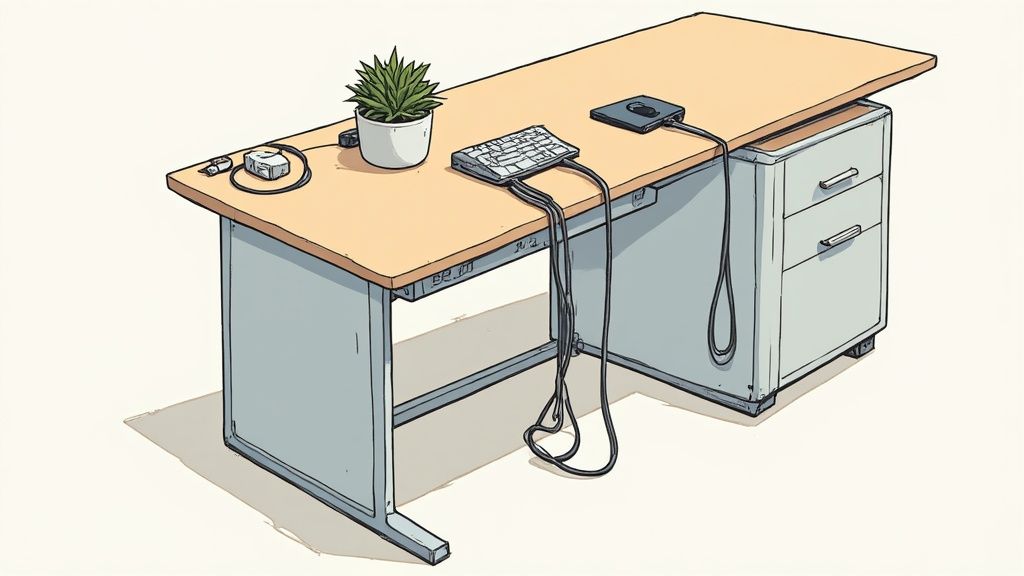
Visible cables impair the appearance of your workspace. They are dust collectors, make cleaning difficult, and can be a tripping hazard. Good cable management is an important step for a professional and safe workplace.
A tangled mess of cables under the desk looks untidy. With the right aids and a system, you can quickly sort things out.
The right tools for cable organization
Get the right accessories before you start. A few simple tools are usually enough.
Cable trays: They are screwed under the desk top. Power strips, power supplies, and excess cable lengths disappear out of sight here.
Cable sleeves: These flexible sleeves bundle several cables into one strand. Ideal for concealing the connection from the desk to the power outlet.
Cable clips and Velcro cable ties: These allow you to fix individual cables to the edge of the desk or the desk legs.
These tools are the basis for a tidy setup. Combine them to suit your devices and your desk.
Step by step to a tidy cable setup
Proceed systematically. First, unplug all devices. This gives you the chance to start from scratch and sort out old cables.
Place a power strip centrally in your cable tray under the desk top. Connect all power supplies and plugs here. This is the most important step to remove cable clutter from the floor. Route the cables from the monitor, laptop, and lamp to the power strip via the shortest path.
Group cables that run in the same direction with a cable sleeve or cable ties. With self-adhesive cable clips, you can neatly route these strands under the desk top or along a desk leg.
A central power connection under the desk is the foundation for good cable management. It makes the clutter disappear and increases safety.
The result is a workspace that looks more professional and is easier to keep clean. You can find more strategies in our guide for perfect cable management at the workplace.
Develop routines to maintain order
Tidying a desk is a project. Keeping it tidy is a process. The work begins after you've sorted everything out. Without fixed habits, chaos quickly returns.
The solution is simple, repeatable actions. This makes desk organization a fixed part of your daily work routine. The goal is to prevent clutter from accumulating in the first place.
The Two-Minute Rule for Immediate Effect
An effective method is the Two-Minute Rule. The logic is simple: complete any task that takes less than two minutes immediately.
What does this mean in everyday life?
Take the empty coffee cup directly to the kitchen.
Archive an email immediately after answering it.
File a document as soon as you are done with it.
These small actions hardly interrupt your workflow. However, they effectively prevent small tasks from piling up into a mountain. The effect on the order of your workspace is significant.
A daily five-minute tidying routine at the end of the workday creates a clear mental closure. It ensures a productive start to the next morning.
Weekly checks and the "One in, one out" principle
In addition to small daily actions, a weekly review is useful. Take ten minutes every Friday to check your system. Are there loose papers lying around? Are all pens in their place? This short check ensures that no new clutter hotspots have formed.
Another useful principle is the "one in, one out" rule. Every time a new item comes onto your desk, an old one must go. A new notepad replaces the used one. This method controls the quantity of items and prevents your desk from getting full again.
To stay consistent in the long term, it is crucial to develop effective routines, as content creators do to organize their work processes.
Frequently Asked Questions about Desk Organization
You've taken the first steps, but there are still questions? That's normal. Here are answers to common points that arise when organizing your workspace.
How often do I really need to tidy up?
The answer is individual. A good rule of thumb is the five-minute routine at the end of each workday. Put away the coffee cup, sort papers, and clear the surface. This prevents chaos from accumulating.
A thorough clean-up, where you also check drawers and shelves, should be done every one to three months. You will quickly find your own rhythm.
What are the three most important aids for more order?
If I had to commit to three essential helpers, they would be these:
A cable tray: It is the invisible hero under the desk top. All cables and power supplies disappear into it, and the cable clutter on the floor is eliminated.
A monitor stand: It is more than just a riser. It creates a second level on the desk for notebooks or pens. At the same time, it improves your sitting posture.
A document tray: Sounds simple, but it is very useful. Instead of stacks of paper, you have a fixed place for everything that still needs to be processed.
My desk is small, what can I do?
With limited space, you have to think vertically. Use the walls. Wall shelves above the desk, magnetic strips, or a monitor stand with integrated drawers are your best helpers.
The key is minimalism: only what you need daily is on the table. Everything else goes into mobile helpers like a small rolling container that can be pushed under the table as needed.
A tidy, well-thought-out workspace is the foundation for concentrated work. If you're ready to optimize your workspace, discover the suitable solutions from DESKSPACE now at https://deskspace.de.